How It Works
The SQL4automation Connector is a software solution for industrial applications. It enables direct connection of PLC and robot controllers to databases. Alternatively, the connector is also available pre-installed on an IPC.
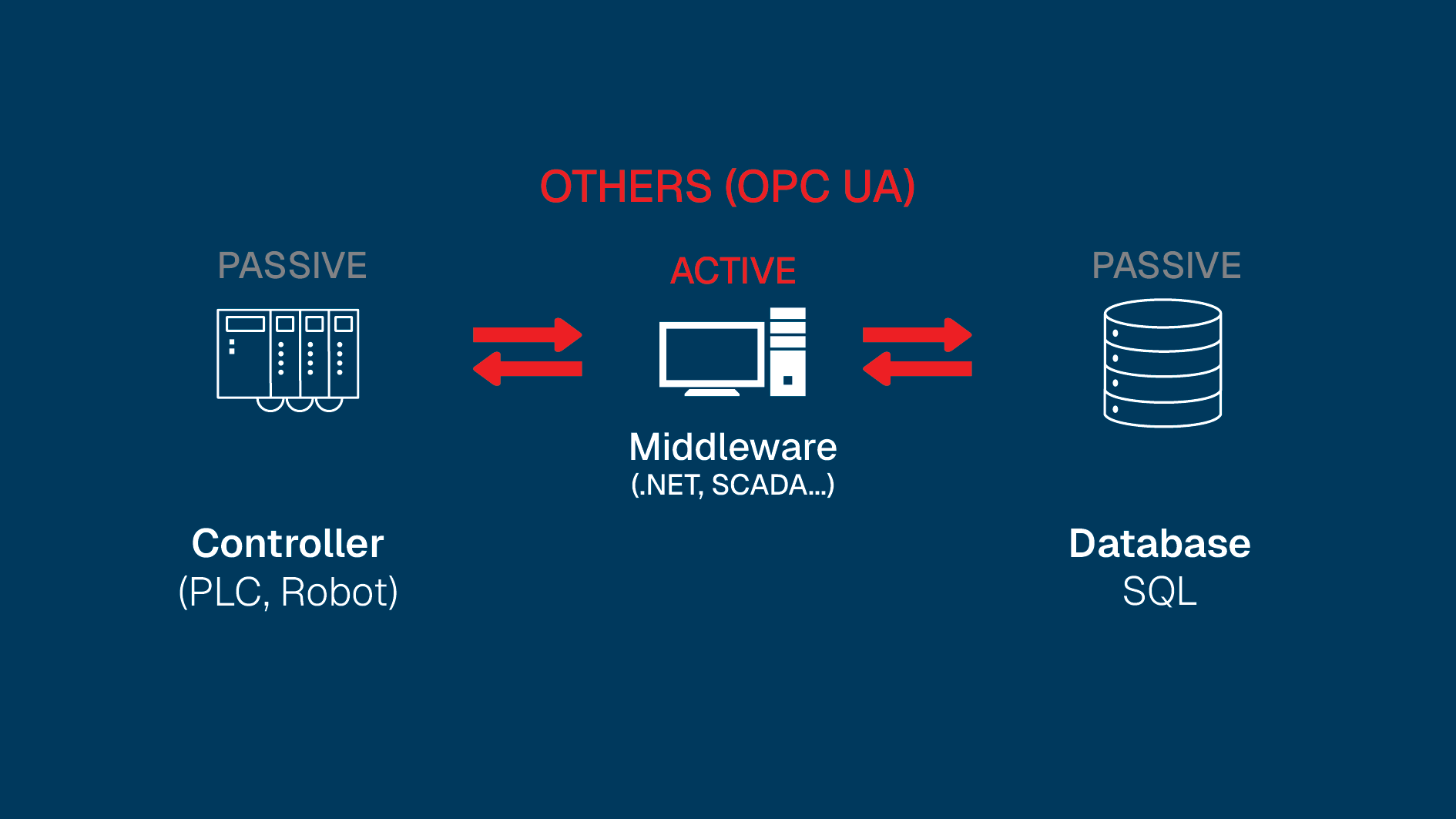
The Problem
Data collection is the bread and butter of modern industrial environments, but implementing a reliable process to capture and centralise that data is rarely as straightforward as it should be.
Our Solution
Industrial controllers connect directly to SQL databases via the SQL4automation Connector, without any middleware in between. SQL commands are programmed directly in the controller, keeping configuration simple and your infrastructure lean.
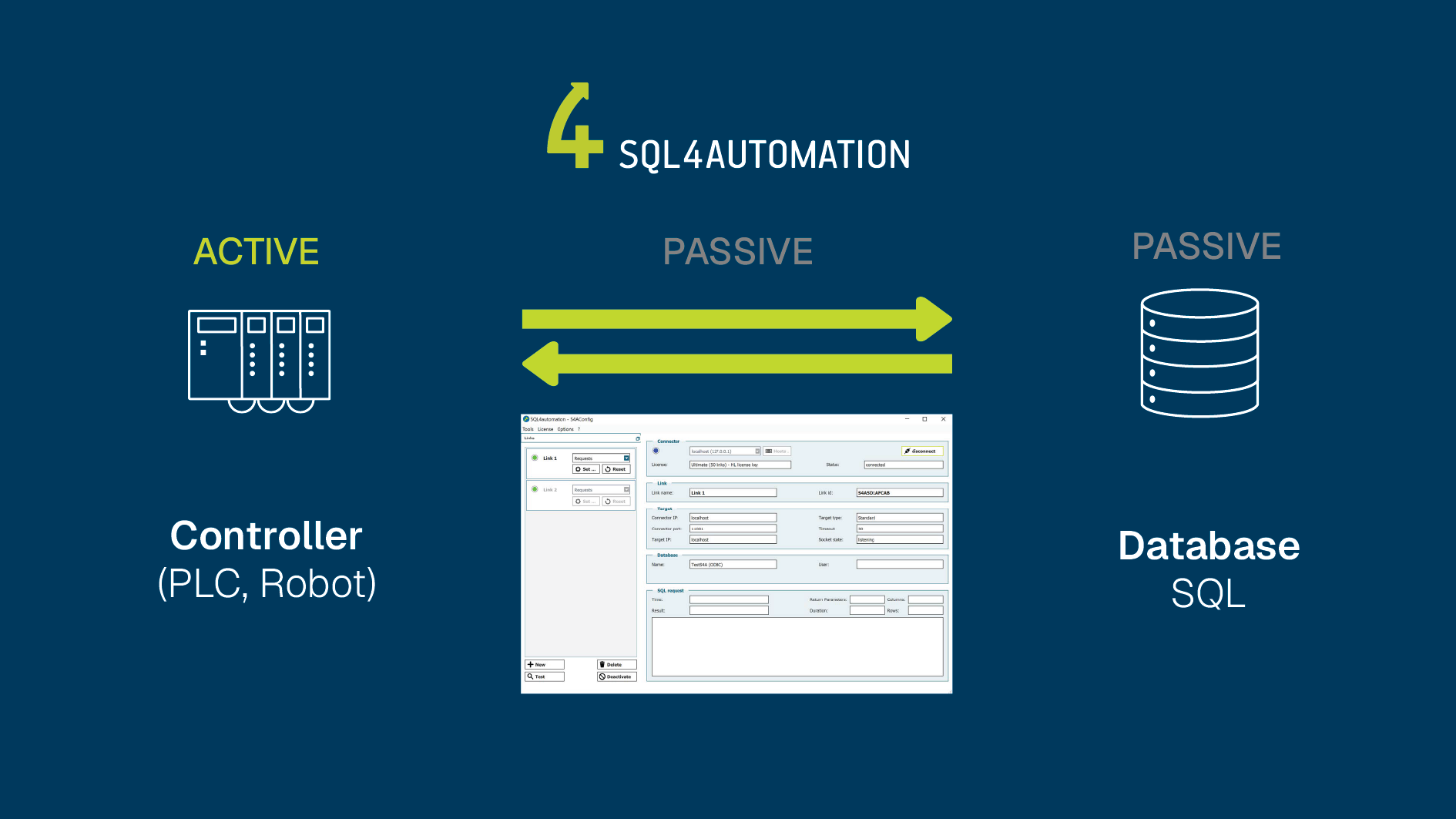
The Modern Way of Data Management
How SQL4automation Compares to Other Software Solutions
SQL4automation
Programming intermediate software is eliminated.
No further project-specific adjustments are necessary.
Others
in the controller and in the data management software (middleware).
is only transferable to new projects with great effort.
data management determines when data is transmitted.

Compatibility
Thanks to universal TCP/IP connectivity, you can seamlessly integrate almost any controller into your automation solution. For many systems like Siemens, Rockwell, Beckhoff, or B&R, ready-to-use libraries are available that you can integrate directly into your project.
Database connectivity is via ODBC, giving you full flexibility in choosing your database: Whether Microsoft SQL Server, MySQL, PostgreSQL, SQLite, Oracle, Access, and many more!
Direct connection to MES systems is also implemented: SQL4automation creates an end-to-end connection from the controller to the ERP for maximum transparency and efficiency in your production.
The SQL4automation Connector & Tools
SQL4automation enables easy setup of database connections with Config, direct SQL communication from the PLC with Query, and fast real-time error analysis with Debugger.
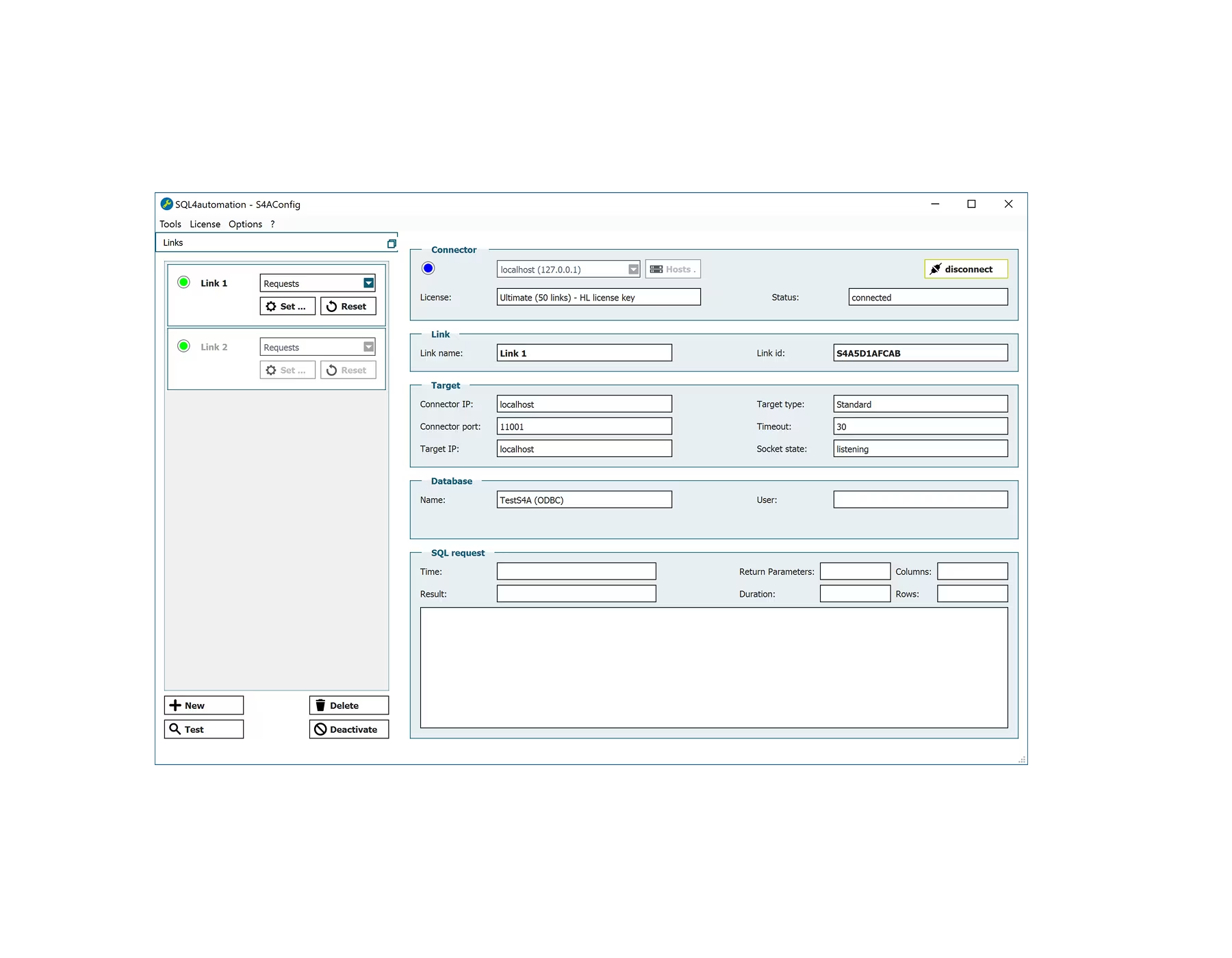
S4A-Config-Tool
Simplifies setup of all connections without any programming effort.
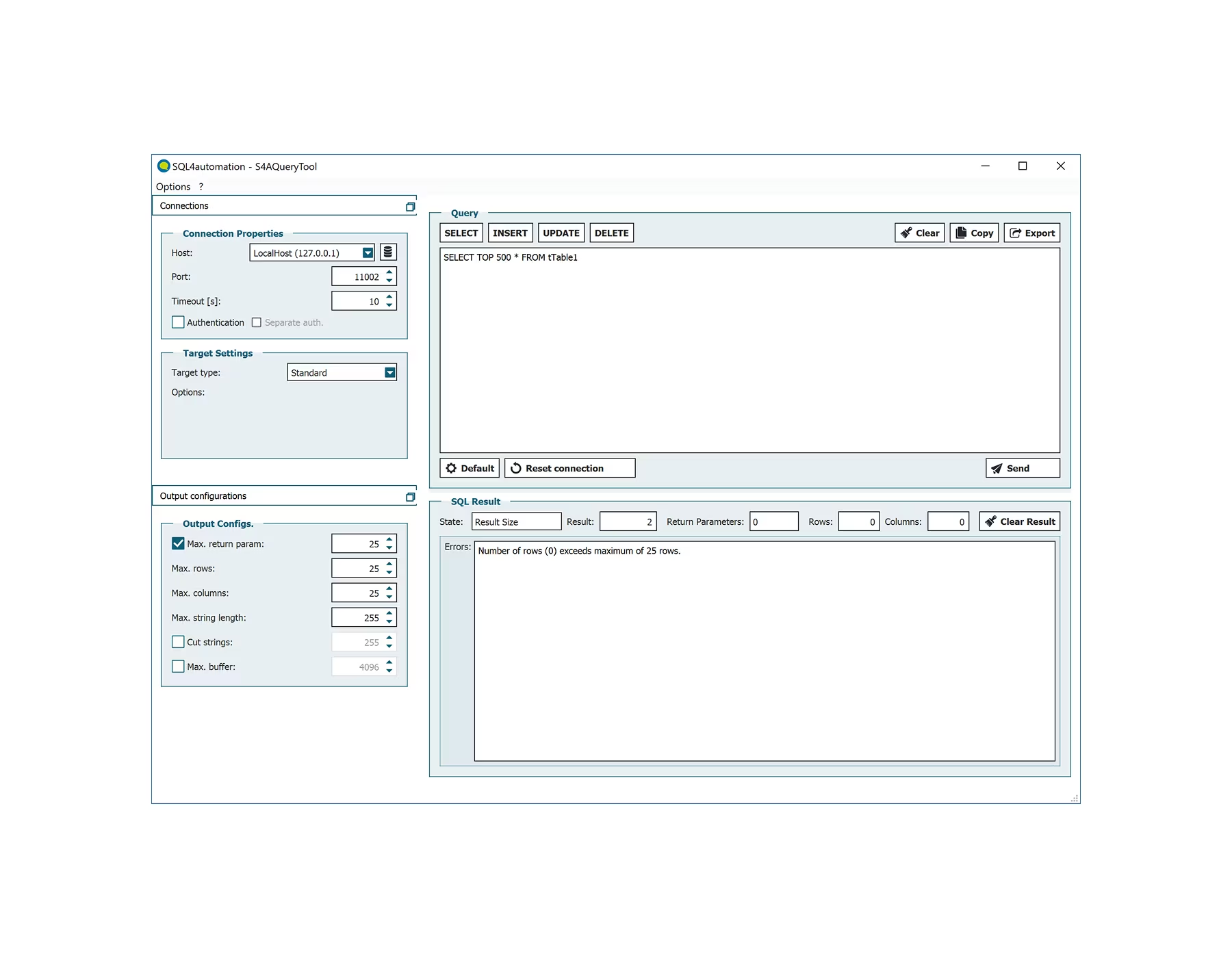
S4A-Query-Tool
Simulate and test the data flow before implementation.
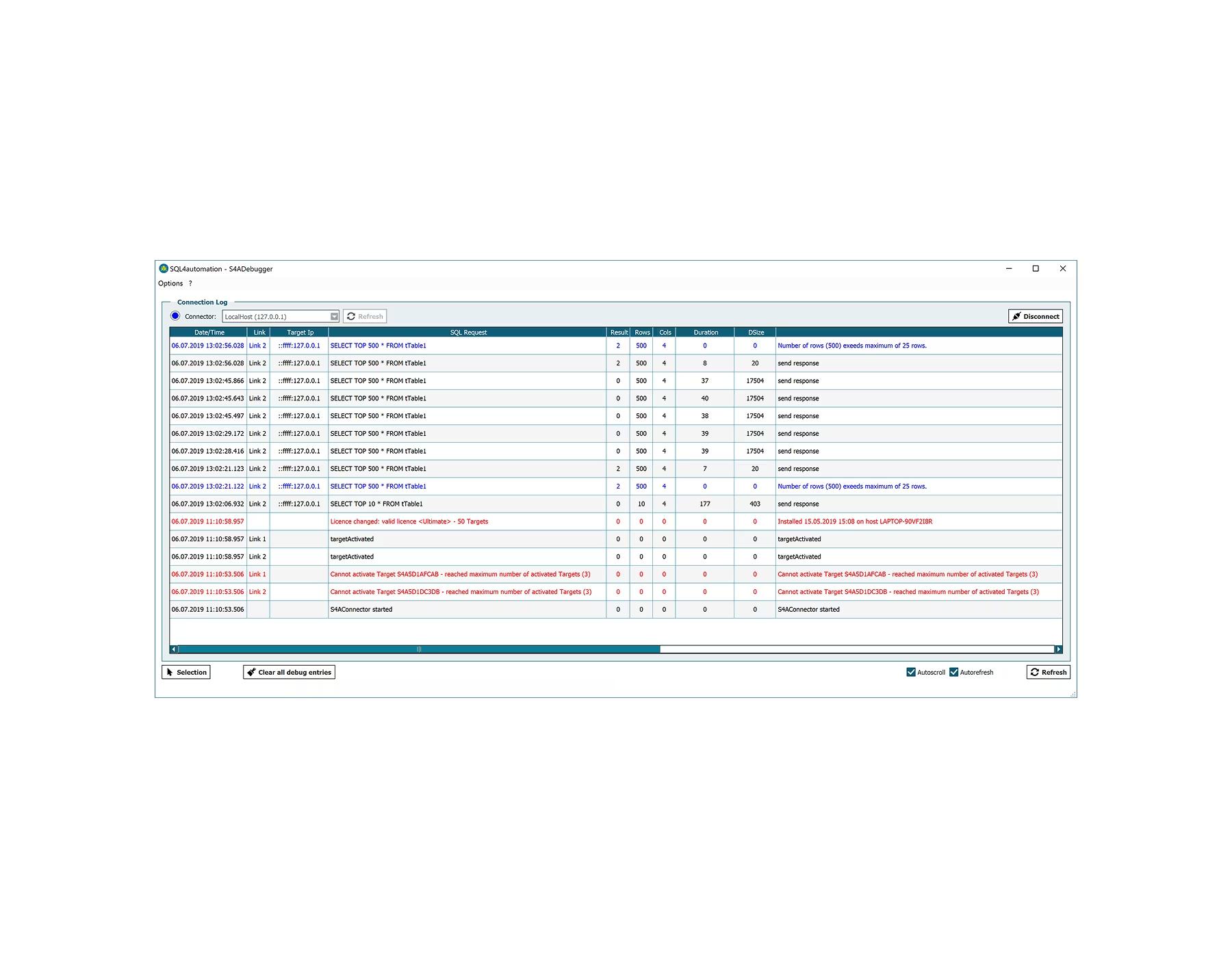
S4A-Debugger
Troubleshooting and diagnostics made easy.
FAQs
Below you will find answers to frequently asked questions about our services.
What does the SQL4automation Connector do?
The SQL4automation Connector connects your PLC, robots, or automation devices directly to an SQL database (e.g., Microsoft SQL, MySQL, MariaDB, Oracle). Ideal for process data acquisition, MES integration, or Industry 4.0 projects, without middleware or OPC servers.
How does SQL4automation establish the connection between PLC and SQL database?
SQL4automation establishes the connection between automation devices and SQL databases. The connector communicates with your PLC via TCP/IP, and the connection to the database is via an ODBC interface. This creates a direct data flow from the controller to the database, without detours.
How are machine or process data read or written?
The controller sends SQL commands to the connector, which forwards them to the database. Likewise, data from the SQL database can be read and processed in the PLC.
Where is the connector installed?
The SQL4automation Connector runs on a Windows or Linux PC. Optionally also directly on a PC-based controller (e.g., with TwinCAT). The SQL database can, but does not have to, be on the same PC. The database can be locally or network accessible.
Can I run the connector on 2 separate networks simultaneously?
Yes. If the PC has two network cards, for example, a controller in the machine network and an SQL database in the corporate network can be connected in parallel without the networks being directly connected.
Can I write to the controller from outside?
No. With SQL4automation, the controller is always the master. Only the controller decides when data is read or written. This means maximum security for your automation environment.
Customer Testimonials
What our customers say about us.
Switch to SQL4automation Now.
Connect industrial controllers directly with SQL databases. Field-proven since 2007 for maximum performance and security, completely without middleware.