The SQL4automation Connector and Tools
SQL4automation enables easy setup of database connections with Config, direct SQL communication from the PLC with Query, and fast real-time error analysis with Debugger.

Config-Tool
The Config Tool simplifies setting up and testing the interface. At the same time, you keep track of all active database connections. The intuitive user interface enables configuration of drivers and connection parameters without any programming effort. This saves time and ensures smooth operations.
Query-Tool
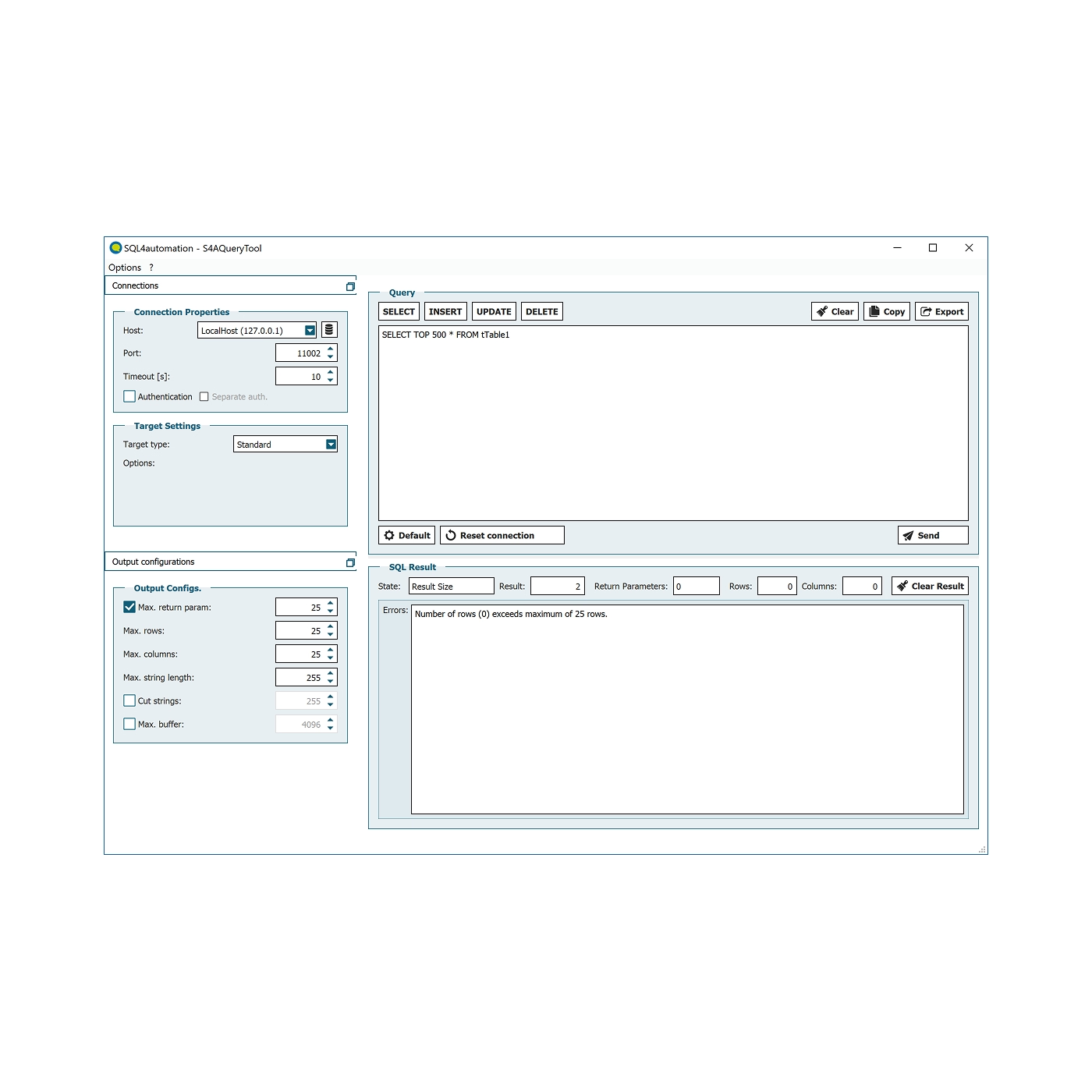
With the Query Tool, you can easily and quickly verify your database connections and SQL commands. Here you simulate and test commands originating from your PLC. Once everything is correct, you can conveniently copy the finished commands via Ctrl+C / Ctrl+V directly into your PLC. For fast and error-free integration without detours.
Debugger
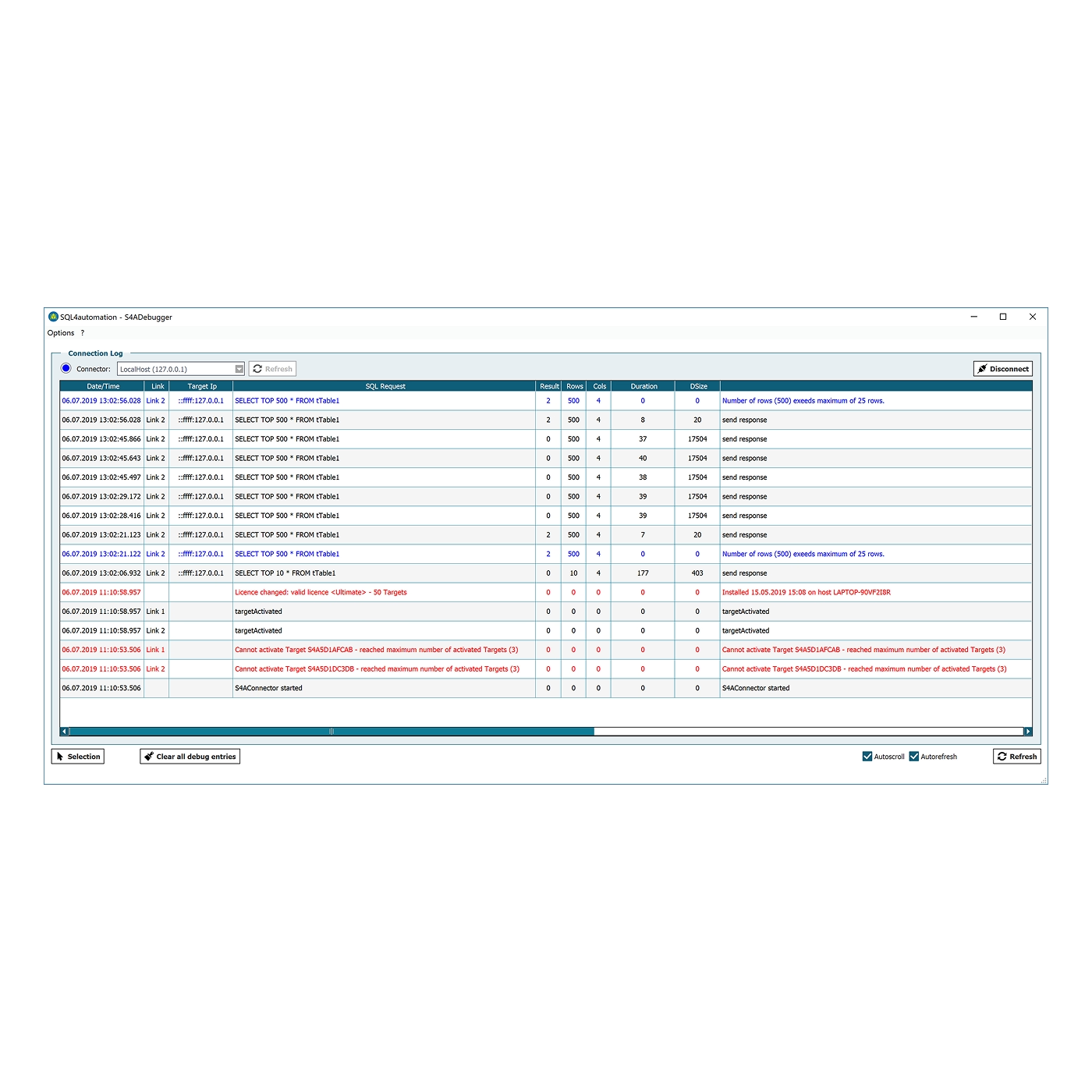
The Debugger is a comprehensive diagnostic tool for all kinds of analyses. It logs all communication between PLC and database and highlights erroneous SQL queries as well as those that return no values. This significantly facilitates troubleshooting, saves valuable commissioning time, and reduces downtime or standstill periods. With live analysis, you always have optimal control over your automation solution.
More Tutorials
This is how easy it is to connect PLCs and robot controllers to SQL databases. On our YouTube channel, we have more helpful information and in-depth knowledge about SQL4automation.

Compatibility
Thanks to universal TCP/IP connectivity, you can seamlessly integrate almost any controller into your automation solution. For many systems like Siemens, Rockwell, Beckhoff, or B&R, ready-to-use libraries are available that you can integrate directly into your project.
Database connectivity is via ODBC, giving you full flexibility in choosing your database: Whether Microsoft SQL Server, MySQL, PostgreSQL, SQLite, Oracle, Access, and many more!
Direct connection to MES systems is also implemented: SQL4automation creates an end-to-end connection from the controller to the ERP for maximum transparency and efficiency in your production.
FAQs
Below you will find answers to frequently asked questions about our services.
What software tools are included with SQL4automation?
SQL4automation provides three tools:
Config Tool: For setting up the Connector, managing connections, queries, and triggers.
Query Tool: For creating and testing SQL queries without a connected PLC.
Debugger: For testing SQL commands and analyzing errors during operation.
How easy is it to upgrade to the latest version of SQL4automation V5?
Very easy. All connector settings, including your database connections and configuration, are stored in the following files:
Windows: C:\ProgramData\SQL4automation\config\S4AConnector.ini
Linux: /var/log/SQL4automation/
These files are preserved during an upgrade, so your existing configuration carries over automatically. As a precaution, we recommend keeping a backup copy before upgrading.
What does the SQL syntax look like?
Data is queried using the SQL database language, for example:
"SELECT id, fParam2 FROM tTable1 WHERE param1=123"
For more information about SQL syntax, visit your database manufacturer's website or http://en.wikipedia.org/wiki/SQL.
How do I generate an SQL command string in the controller? (Basics)
Composing an SQL command varies depending on the controller syntax. What remains the same across all controllers is that the string can be assembled using the "Request Array." Example:
g_saRequest[1] := "SELECT id, fParam2 FROM tTable1 WHERE "
g_saRequest[2] := "iParam1 ="
g_saRequest[3] := INT_TO_STRING(iMyPLCvariable)
The function block in the controller automatically assembles the array and sends the following SQL command to the Connector/database:
"SELECT id, fParam2 FROM tTable1 WHERE param1=123"
Which PLC controllers are supported?
You can basically connect all controllers that have a TCP/IP interface to the Connector. For many controller types, ready-made libraries are already available that you can simply integrate into your project.
Supported systems include: Siemens S7, Beckhoff TwinCAT V2/V3, Allen Bradley, CODESYS V2/V3, ABB, AC500, KUKA, Stäubli, B&R, Mitsubishi, Sigmatek, and many more.
Which SQL databases are compatible?
All databases with ODBC drivers are supported, e.g.: Microsoft SQL Server, MariaDB / MySQL, PostgreSQL, SQLite, Oracle, MS Access
Customer Testimonials
What our customers say about us.
Switch to SQL4automation now.
Connect industrial controllers directly with SQL databases. Field-proven since 2007 for maximum performance and security, completely without middleware.